Studio engine — now in production

Production-grade
color separation
for surface pattern design.

Two engines, one account. Drop your artwork and let Studio analyze, separate, recolor and export it on our queue — or stay in the browser with Editor for lighter repeats. Open color codes (Munsell & CIE Lab), made for screen printers, DTG/DTF shops, design studios and factories.

Engines
2

Studio + Editor

Pipeline
5

queued steps

Color codes
Open

Munsell · CIE Lab

Integrations
JSON API

Pro + Studio

Studio · floral_repeat_v3.tif
Layer 1
Layer 2
Layer 3
Layer 4
Layer 5
Layer 6
analyze · doneseparate · queuedrecolor · queuedexport · queued

Two engines, one account

Pick the right engine per project.

Studio is the default for textured, dense or large artwork. It runs server-side on a queue, so jobs survive your tab. Editor stays in the browser for lighter repeats and quick iterations — same account, same color reference library.

Studio

Server-orchestrated.
Production-ready.

A queued pipeline that analyzes your source, separates colors at any density, lets you recolor through saved colorways and exports print-ready files. Resilient to tab closes, built for batches.

  • Higher source limits, subject to current upload cap
  • Multi-job queue, dependencies enforced
  • Saved colorways & project history
  • Authenticated API on Pro + Studio
  • Team sharing & audit log
Editor

Browser-only.
Drop & go.

The original Textile Color Separation editor. Drag an image, eye-drop the colors you want to keep, separate, paint with brush and eraser, export each layer as a transparent PNG. No server round-trip — the workspace lives in your browser.

  • Eyedropper + brush + eraser tools
  • Tolerance-based color reduction
  • Color variants on the fly
  • PNG export per layer + palette
  • Munsell & CIE Lab references

Studio pipeline

Five queued steps. One reproducible result.

Studio orchestrates each project as a chain of jobs. Steps depend on the previous one succeeding. A failed job can be retried without losing the rest of the work.

  1. Step 1Free

    Source

    Upload TIFF, PNG or JPEG within your active plan and platform upload limit. We keep the original asset typed and versioned.

    TIFFPNGJPEG
  2. Step 21 credit

    Analyze

    Detect dominant colors, halftones, gradients and propose a starting palette.

    histogrampalettepreview
  3. Step 34 credits

    Separate

    Split the artwork into one mask per color. Tolerance-aware, edge-clean, repeat-safe.

    maskstolerancespot
  4. Step 42 credits

    Recolor

    Swap colors per layer with open color references (Munsell, CIE Lab). Save multiple colorways per project.

    MunsellCIE Labcolorways
  5. Step 51 credit

    Export

    Print-ready PNG per layer, palette PDF, project bundle. Fetch outputs through the authenticated API on Pro and Studio.

    PNGPDFZIP

Full run = 8 credits per 25 MB step

Credit cost shown per 25 MB step of source file size · multiplier scales for larger artwork

From source to print

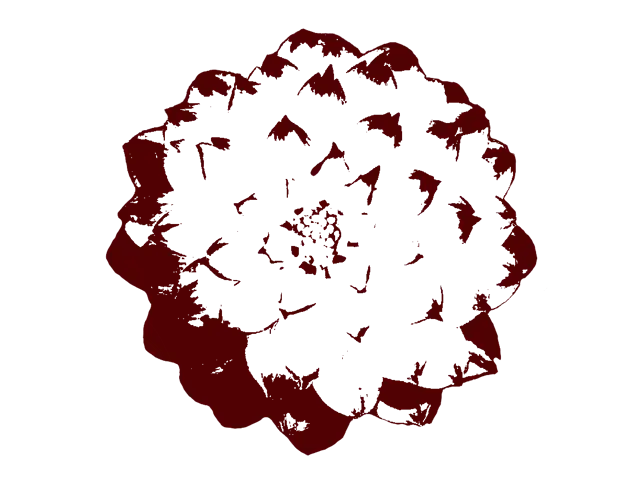
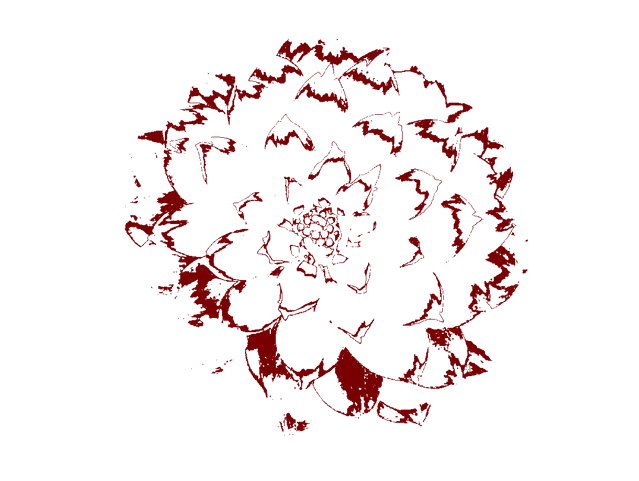
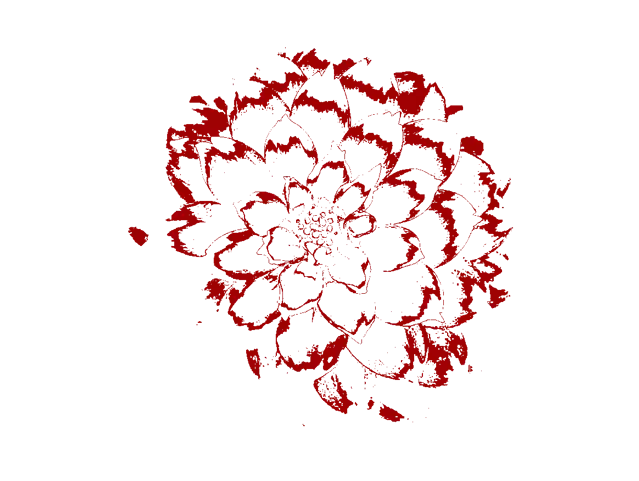
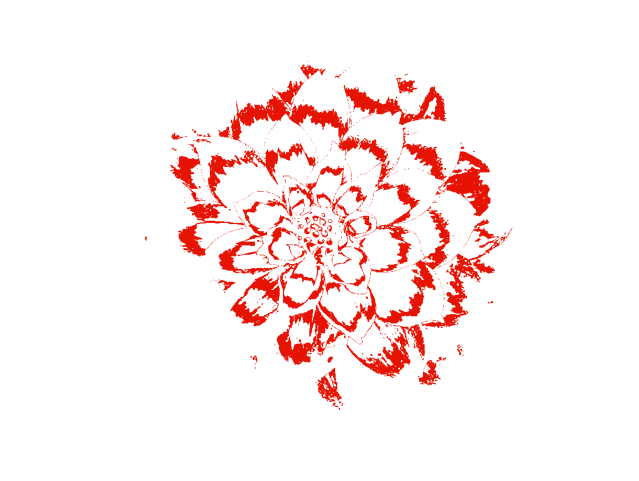
One artwork. Six clean layers.

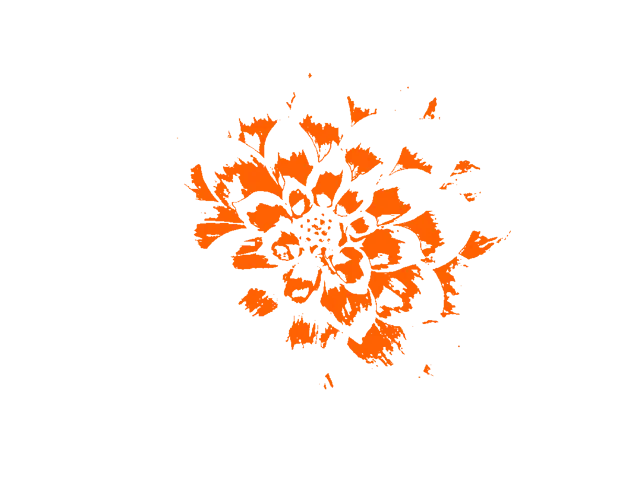
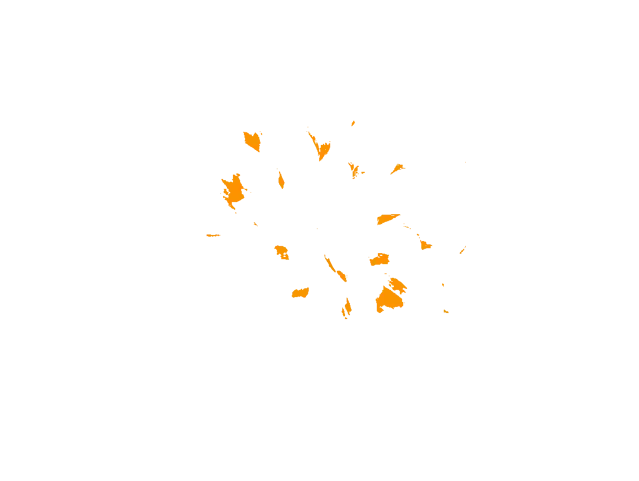
What Studio produces from a single floral repeat: one PNG mask per color, ready for your screens or your DTF transfer machine.

Separated color layer 1
Layer 1PNG · α
Separated color layer 2
Layer 2PNG · α
Separated color layer 3
Layer 3PNG · α
Separated color layer 4
Layer 4PNG · α
Separated color layer 5
Layer 5PNG · α
Separated color layer 6
Layer 6PNG · α
PNG transparentOpen color paletteProject ZIPRepeat-safe

Compared

Why teams move from desktop tools.

The reference desktop tools are powerful but locked to a workstation. Here is how Textile Color Separation compares against the most cited alternatives.

Feature TCS Studio Separation Studio NXT Photoshop + actions Ultraseps
Cloud / browser Yes Desktop install Creative Cloud Desktop install
Cross-OS macOS · Windows · Linux Windows macOS · Windows Windows
Server-side queue Built-in
Authenticated API On Pro + Studio
Open color references (Munsell, CIE Lab) Built-in, no license Vendor library only Manual
Multi-colorways Saved per project Manual
PricingFrom 0 € · 9 / 29 / 99 €≈ 800 USD perpetual + addons24 €/mo Adobe + your time≈ 300 USD one-time
Team sharing & audit On Studio plan

Prices & specs gathered from public vendor pages, May 2026. Trademarks belong to their respective owners.

Pricing

Editor, Pro, Studio.

Monthly Stripe billing in EUR. Editor is the browser-only plan. Pro unlocks Studio and authenticated API processing. Studio raises credits and concurrency, with higher source limits when the platform cap allows it.

Editor

Editor

Browser editor for lighter artworks.

7 €/ month
  • Browser editor
  • Lighter source files
Choose Editor

Pro

Most popular

Studio + authenticated API for daily production work.

19 €/ month
  • Editor + Studio engines
  • 500 credits / month
  • Authenticated API on signed-in accounts
  • Raised source limit · current upload cap applies · 2 concurrent Studio jobs
  • 250 jobs + 250 exports / month
Choose Pro

Studio

Studio

Higher-capacity Studio with authenticated API for heavier workloads.

49 €/ month
  • Everything in Pro
  • 2,000 credits / month
  • Authenticated API on signed-in accounts
  • Highest source limit · current upload cap applies · 4 concurrent Studio jobs
  • 1,000 jobs + 1,000 exports / month
Choose Studio

Enterprise

For factories, platforms and resellers.

Unlimited credits, dedicated infrastructure, SSO, audit log retention, white-label, 99.9% SLA. Bring your MIS, PLM or RIP — we plug Studio behind it.

Monthly Stripe checkout in EUR. VAT is added at checkout.

FAQ

Things teams ask before signing up.

What is the difference between Studio and Editor?

Editor is the original browser editor — drop an image, eye-drop colors, separate, paint, export. Everything happens in your tab. Studio is a server-orchestrated pipeline (analyze → separate → recolor → export) that survives tab closes, handles large textured artwork, supports multiple colorways and exposes authenticated API processing for signed-in accounts.

Do I need to choose one engine for my whole account?

No. The engine is per project. You can have an Editor quick-and-dirty repeat next to a Studio production-grade artwork in the same dashboard.

What file formats do you support?

Source: TIFF, PNG, JPEG. Editor accepts lighter files. Paid plans raise source limits, always subject to the current platform upload cap. Export: PNG per layer (transparent), palette PDF, project ZIP bundle.

How do credits work?

Studio jobs cost credits per success. Defaults: analyze = 1, separate = 4, recolor = 2, export = 1, multiplied by source size in 25 MB steps. So a 90 MB artwork separated once costs 4 × 4 = 16 credits. A failed job is not charged.

Can I integrate Studio in my MIS, PLM or RIP?

Yes — today the app exposes authenticated JSON endpoints on Pro and Studio. A signed-in account can create projects, register source assets, queue Studio jobs, and fetch outputs. Public partner API keys, OpenAPI docs and webhooks are not shipped yet.

Do you use Pantone colors?

Textile Color Separation is not affiliated with, endorsed by, or licensed by Pantone LLC. We provide a built-in color reference library based on open systems — primarily Munsell (public-domain renotation data) and CIE Lab / LCH (international standard). For shops that need an officially licensed Pantone workflow, we recommend pairing TCS with a Pantone-licensed RIP or color matching tool.

Is my data private?

Yes. Source artwork is stored in a per-account namespace, signed URLs are short-lived, and we never train models on your files. EU customers can request EU-only storage.

Can I cancel anytime?

Yes. Subscriptions are monthly, no commitment. Cancellation takes effect at the end of the current period — your projects stay intact and you fall back to the Free tier.

Do you replace Separation Studio NXT or Photoshop actions?

For most screen printing shops doing simulated-process and spot-color separations: yes. For very specific halftone angle fine-tuning we still recommend pairing with your RIP. Many shops run both side by side: Studio for the daily volume, NXT for the edge cases — and gradually consolidate.

What currency do you bill in?

Current checkout is billed monthly in EUR via Stripe. VAT is handled at checkout.

How do I get a demo?

Use the contact form and we will set up a 30-minute walkthrough on your own artwork.

Get started

Stop wrestling with Photoshop actions.
Ship print-ready files in minutes.

Sign in, pick the plan that fits the workflow, and move to Studio when you need queued processing, higher limits and exports at scale.

Contact

Need a demo, pricing detail or workflow help?

Send the artwork context, expected volume, and what you need to automate. We will route it to the right workflow.

Live

Replies go to your email address.